Simulation technology enables manufacturers to analyze and experiment with their processes in a virtual environment, reducing the time and costs associated with physical testing. With Autodesk FlexSim, materials, equipment, and personnel can all be modeled within the simulation, providing the insights needed to maintain or improve production while minimizing costs.



Autodesk FlexSim for 3D Simulation
Autodesk FlexSim is an easy-to-use 3D discrete event simulation software designed to model, analyze, and optimize production, logistics, and supply chain processes.
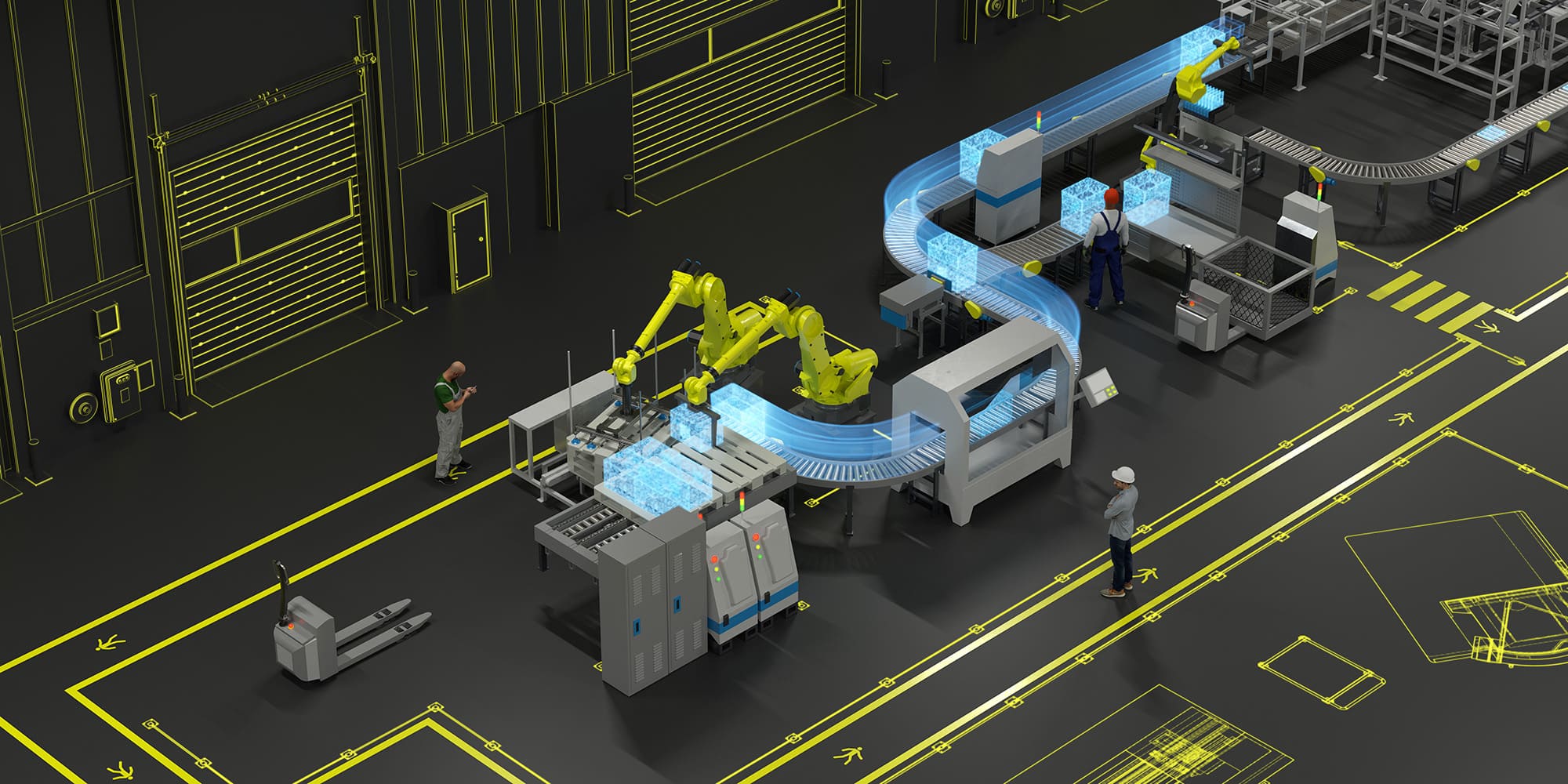
By creating accurate digital models of real-world systems, FlexSim enables organizations to evaluate alternative scenarios, reduce decision risk, maximize asset utilization, eliminate waste, and improve throughput before implementing changes in the real world.
Whether validating a new production line, optimizing warehouse operations, or designing an automated material handling system, Autodesk FlexSim provides a risk-free virtual environment to answer “what-if” questions, account for real-world variability, and support data-driven decision making.
Behind its intuitive drag-and-drop interface lies a fast and powerful simulation engine, allowing users to build accurate 3D models quickly while taking advantage of advanced analysis, experimentation, and optimization capabilities.
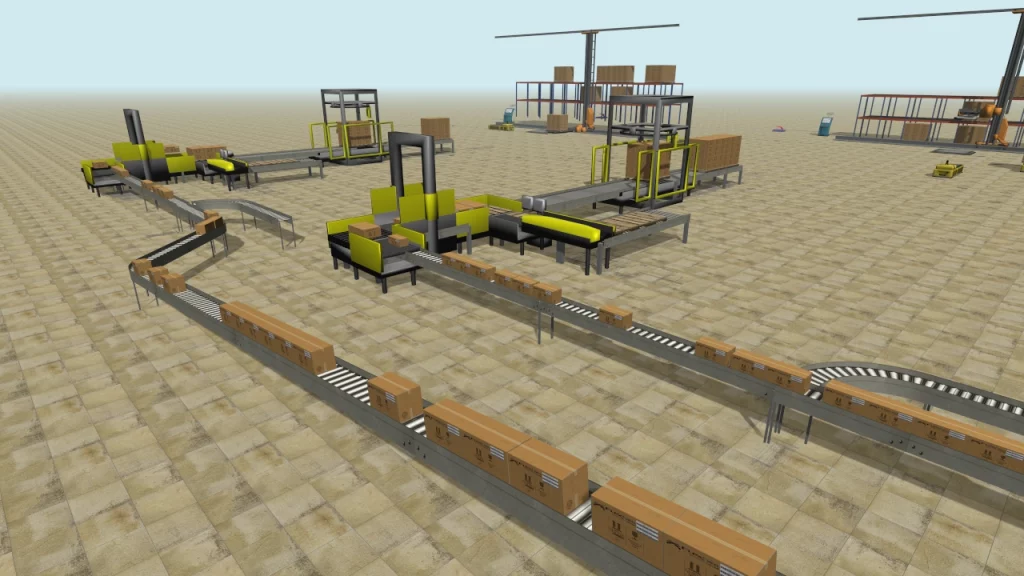
FlexSim’s 3D models help you emulate the look and feel of the real system, making it easier to visualize and understand system behavior.
Model Layout
Autodesk FlexSim makes it as easy as possible to replicate the look of your system while preserving the details necessary for accurate analysis. Just use the simple drag-and-drop controls to place objects and resources directly into the 3D environment—no post-processing needed!
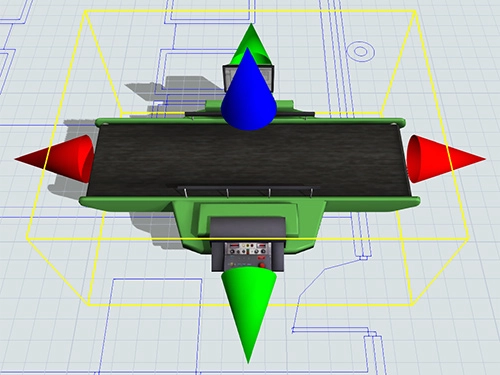
The 3-axis layout and CAD model import functionality maintain the exact spatial relationships of the real system, ensuring accurate travel and transport times.
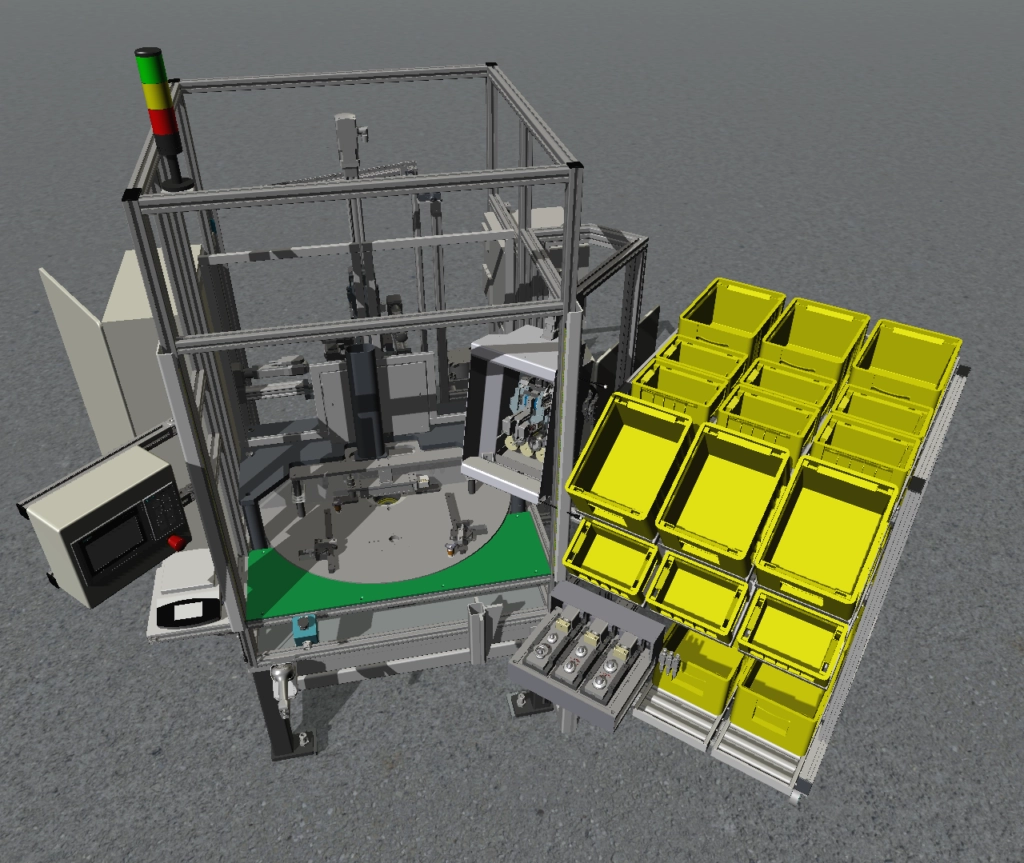
Custom 3D objects can be imported to accurately match the appearance of the real system. Realistic visual effects, including shadows and lighting effects, are included and ready to use by default.
Model Building
Autodesk FlexSim toes the line between ease-of-use and capability to model even the most complex systems.
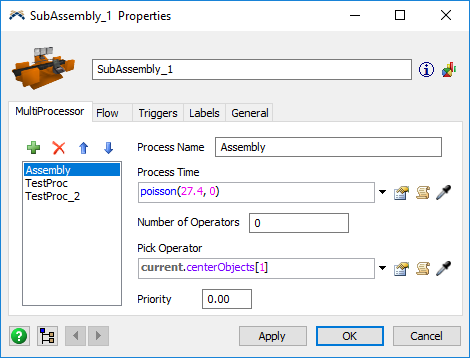
The Standard Object Library contains a variety of objects that be used to immediately build models. Customization is simple—just choose from the preconfigured behaviors, mix-and-match options, and even create your own behaviors.
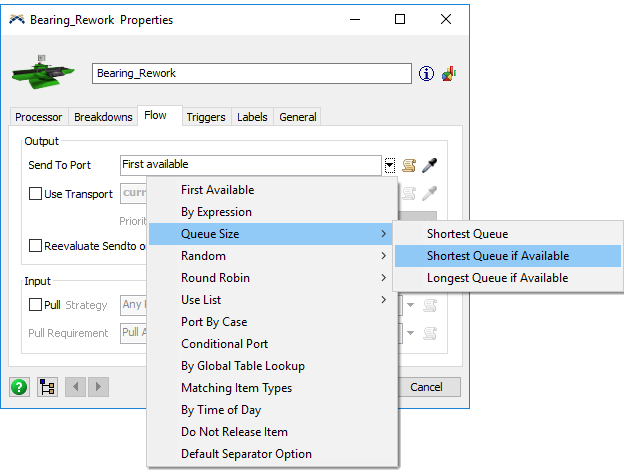
A wide range of drop-down lists and properties will allow you to quickly customize individual objects, triggers, and system properties. Simply check a box or choose a “picklist” option, and your resource will gain the logic and behavior to emulate any real-world situation.
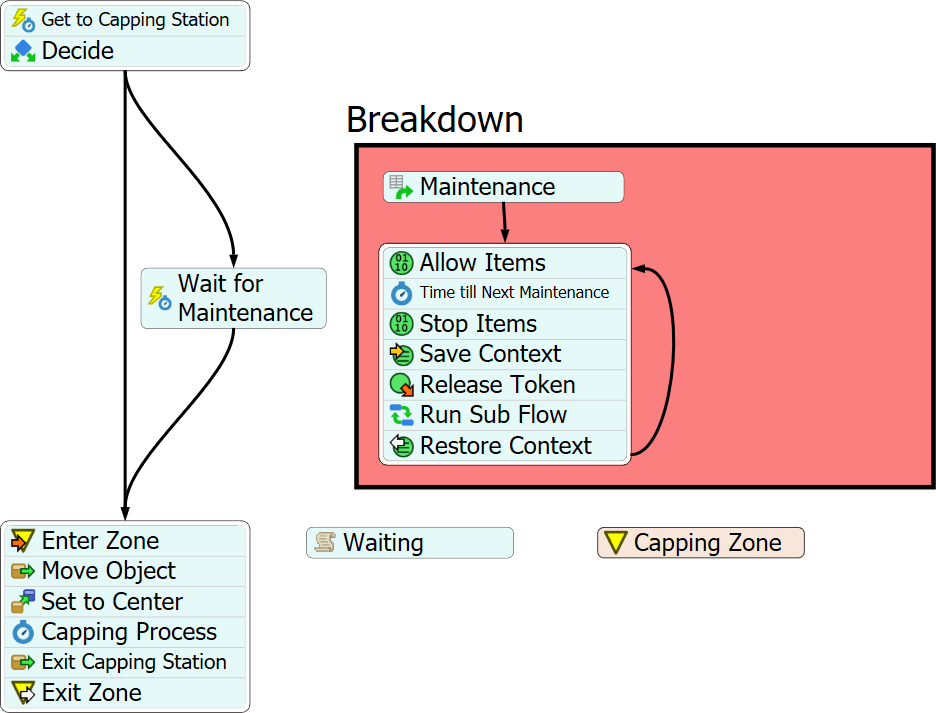
Process Flow is a powerful flowchart-based modeling environment that uses pre-built activity blocks to create simple or complex logic. It keeps model logic organized in one place and easily adapts as the simulation model evolves.
Visual Validation
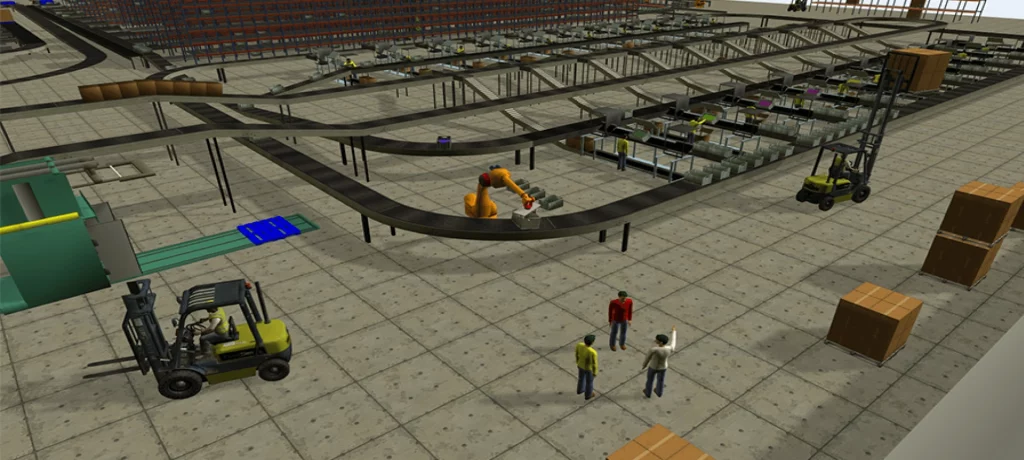
The first level of model validation, where you visually confirm that the system is working—or not working—as it was intended to.
- Enables modeling of real systems in a native 3D virtual environment.
- Accounts for real-world variability using a wide range of statistical distributions and random numbers.
- Supports testing what-if scenarios without requiring changes to the real-world system.
Additional Customization
Autodesk FlexSim includes a powerful scripting language, FlexScript. This C-like language provides access to hundreds of modeling commands for creating simple expressions that enable advanced functionality. In addition, Autodesk FlexSim provides an open architecture with complete C++ integration, allowing virtually unlimited customization and extensibility.
Distribution Fitting
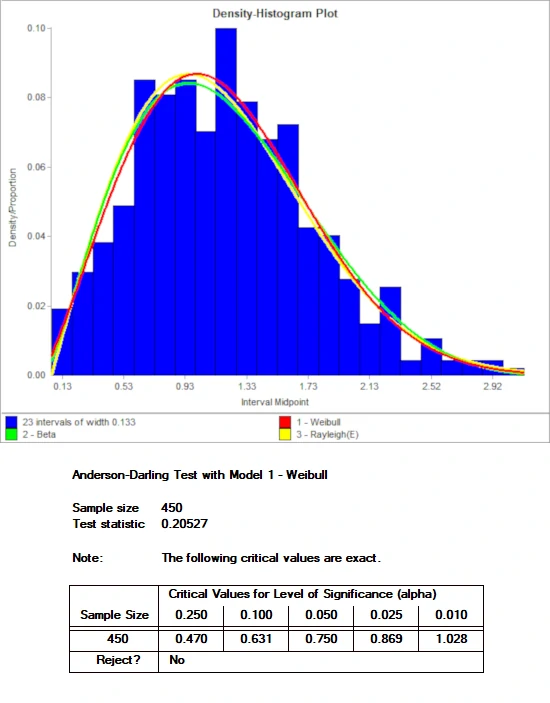
Autodesk FlexSim comes packaged with ExpertFit, the industry standard in distribution-fitting software.
ExpertFit will take the data you’ve collected in the real world and accurately determine which probability distribution best represents the data. It comes with 40 distributions and four goodness-of-fit tests.
Model Analysis
Once the model is ready for simulation, a comprehensive suite of analysis tools provides deeper insight into system behavior.
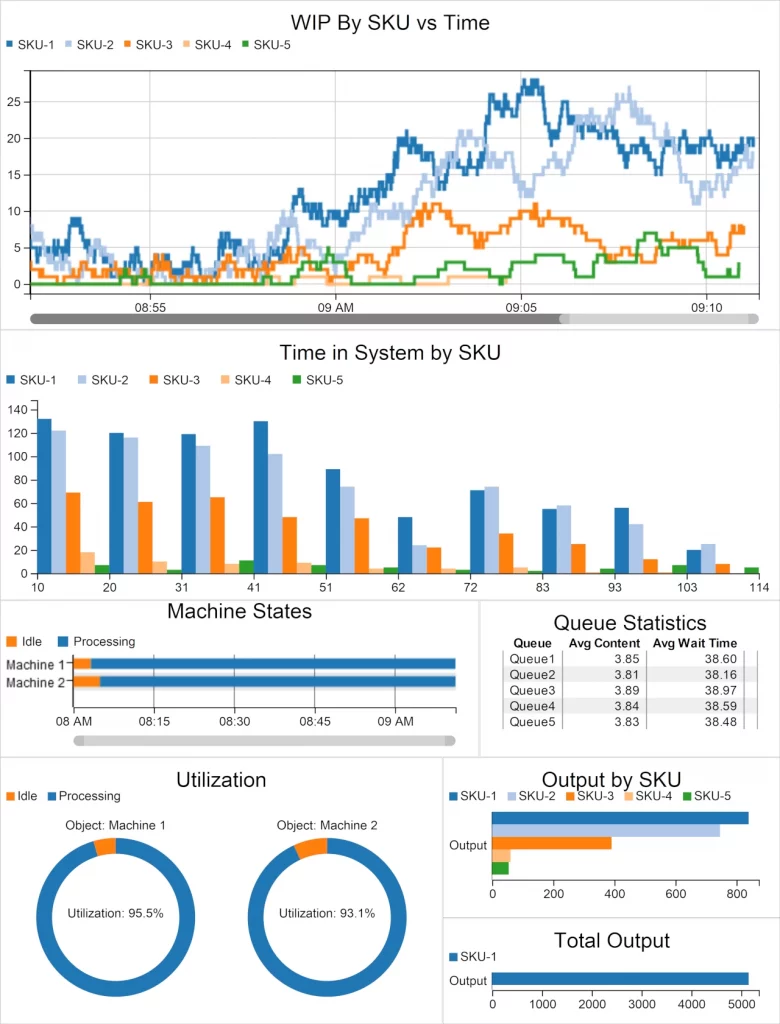
- A deep roster of charts and graphs to help you visualize data from a simulation run.
- The ability to track a wide range of data points and then export to your favorite spreadsheet application.
- Greater flexibility for data gathering through powerful tools like the Stats Collector object and Zone activity.
Optimization
Test “what if” scenarios to find the best possible choices to make in the real world.
Test Multiple Scenarios
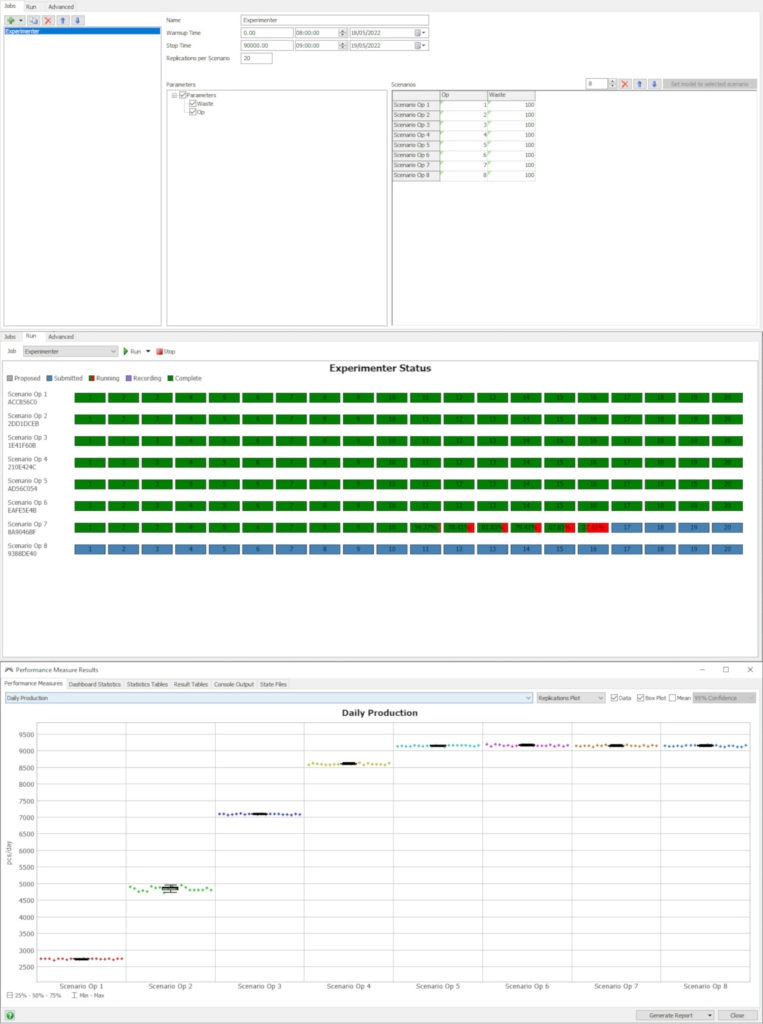
The Experimenter tool enables testing and comparison of multiple scenarios. Replications are distributed across CPU cores, making it possible to run hundreds of multi-scenario simulations in minutes instead of hours or days. Experimenter also includes automated report generation and controls for performance metrics.
FlexSim + OptQuest
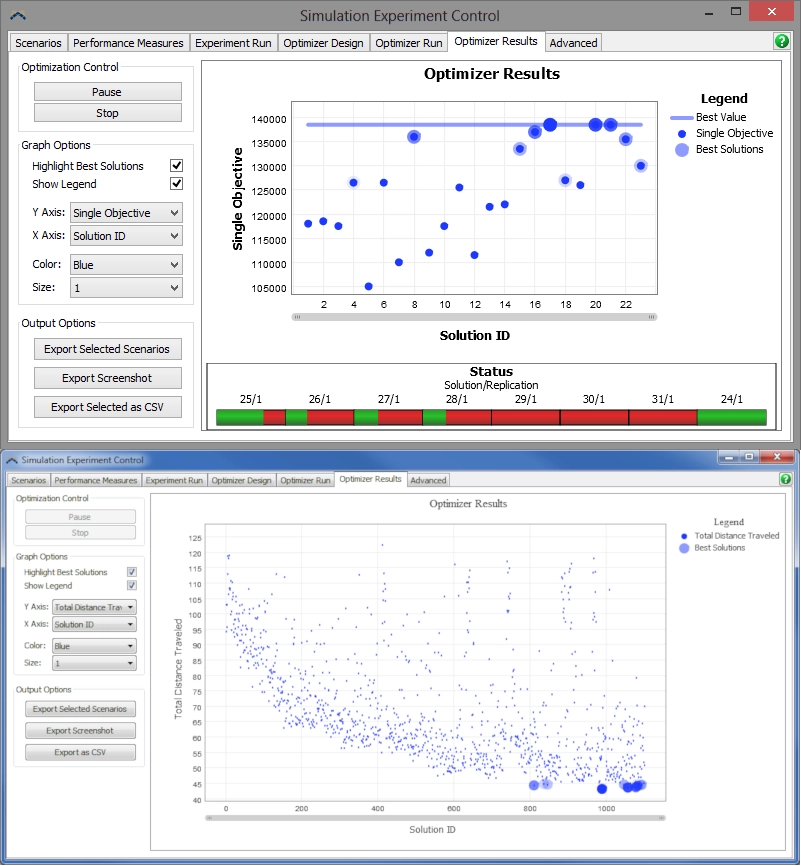
Autodesk FlexSim integrates seamlessly with the OptQuest optimization engine, extending the simulation environment with advanced optimization capabilities. OptQuest enables the definition of model variables and constraints while evaluating hundreds of potential solutions. It also supports multi-objective optimization, helping identify the optimal solution while accounting for competing system requirements.
Flexcon’s experience gained through simulation, analysis, and optimization projects has also led to the development of advanced FlexSim add-ons used by companies and system integrators worldwide, including Flexcon Emulation for Virtual Commissioning, Flexcon Helios for energy consumption analysis and sustainability, and Flexcon Eidos, a solution based on an MCP Server for integrating AI Agents into industrial modeling, simulation, and analysis processes.
Autodesk FlexSim + Industry 4.0
Autodesk FlexSim supports many of the key areas of Industry 4.0. This 3D simulation modeling and analysis software provides a strong foundation for digital transformation. Autodesk FlexSim enables the evaluation, optimization, and validation of changes at every stage of the production process before implementation.
How does FlexSim 3D Simulation fit in with the Pillars of Industry 4.0?
Simulation
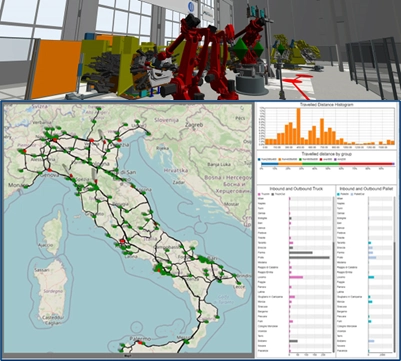
Simulation modeling enables the creation of a digital model of a real facility to simulate system behavior over time. The resulting insights help answer important “what-if” questions without disrupting real-world operations. Simulation provides a strong foundation for process optimization and Industry 4.0 initiatives.
Digital Twin (System Integration)
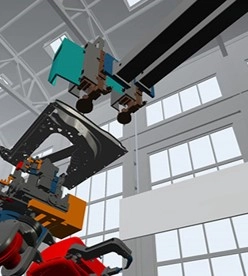
Industry 4.0 seeks to improve connectivity between systems throughout the manufacturing environment. The digital twin connects the physical and digital worlds. Based on the current state of the system, the virtual model helps predict future outcomes and supports informed business decisions. Autodesk FlexSim enables organizations to develop and analyze digital twins to improve system performance and operational visibility. Learn more about digital twin solutions.
PLC Emulation (Virtual Commissioning)
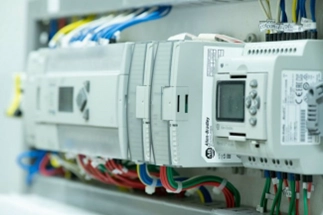
Autodesk FlexSim’s PLC emulation capabilities add a new level of understanding to manufacturing facilities and automation systems. In addition, Autodesk FlexSim enables the design, testing, and validation of the PLC logic that controls production systems, improving operational efficiency before commissioning. By connecting real PLC logic to the simulation model, Autodesk FlexSim also supports Virtual Commissioning, enabling system behavior to be validated before implementation.
Looking for an even more comprehensive emulation solution? Discover how Flexcon Emulation supports advanced virtual commissioning projects.
Cloud Computing

Cloud technologies play an increasingly important role in manufacturing, connecting design, project management, simulation, and operational data. Within the Autodesk ecosystem, Autodesk FlexSim integrates with cloud solutions such as Autodesk Construction Cloud and Autodesk Tandem, enabling organizations to connect simulation with project management, digital twin monitoring, and operational decision-making.
In addition, Autodesk FlexSim’s scalable architecture supports cloud-based model management and distributed parallel CPU simulation.
Extended Reality (VR and AR)
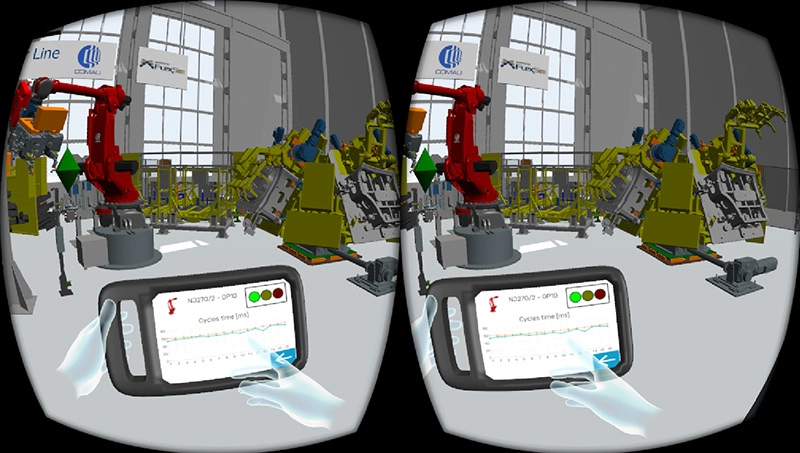
Autodesk FlexSim has long supported Virtual Reality (VR), which has become a widely adopted technology in industry.
With applications in communication, training, maintenance, and more, it has provided users with a deeper understanding of manufacturing processes through immersive visualization.
Big Data + Data Analytics
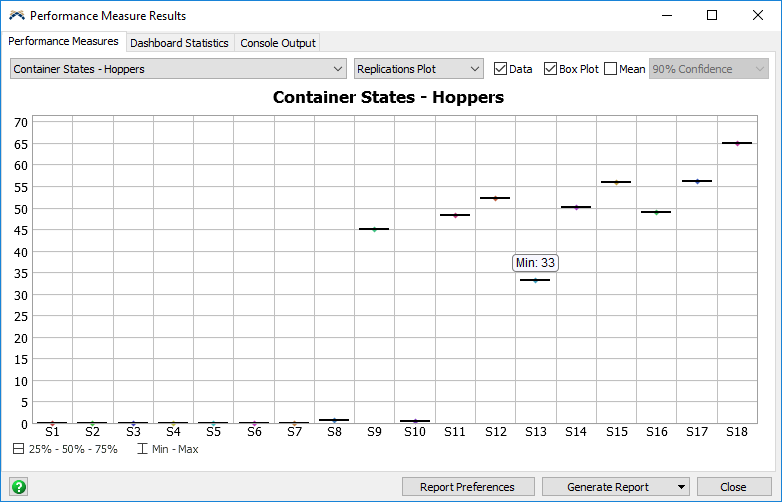
The data generated by Autodesk FlexSim provides valuable insights into current system performance and helps predict system behavior under different operating conditions.
As part of a broader data analytics strategy, these insights support informed decision-making and continuous process improvement. Existing operational data can also be imported into Autodesk FlexSim simulation models to further analyze system performance and evaluate alternative scenarios.
Industries
Manufacturing
Material Handling
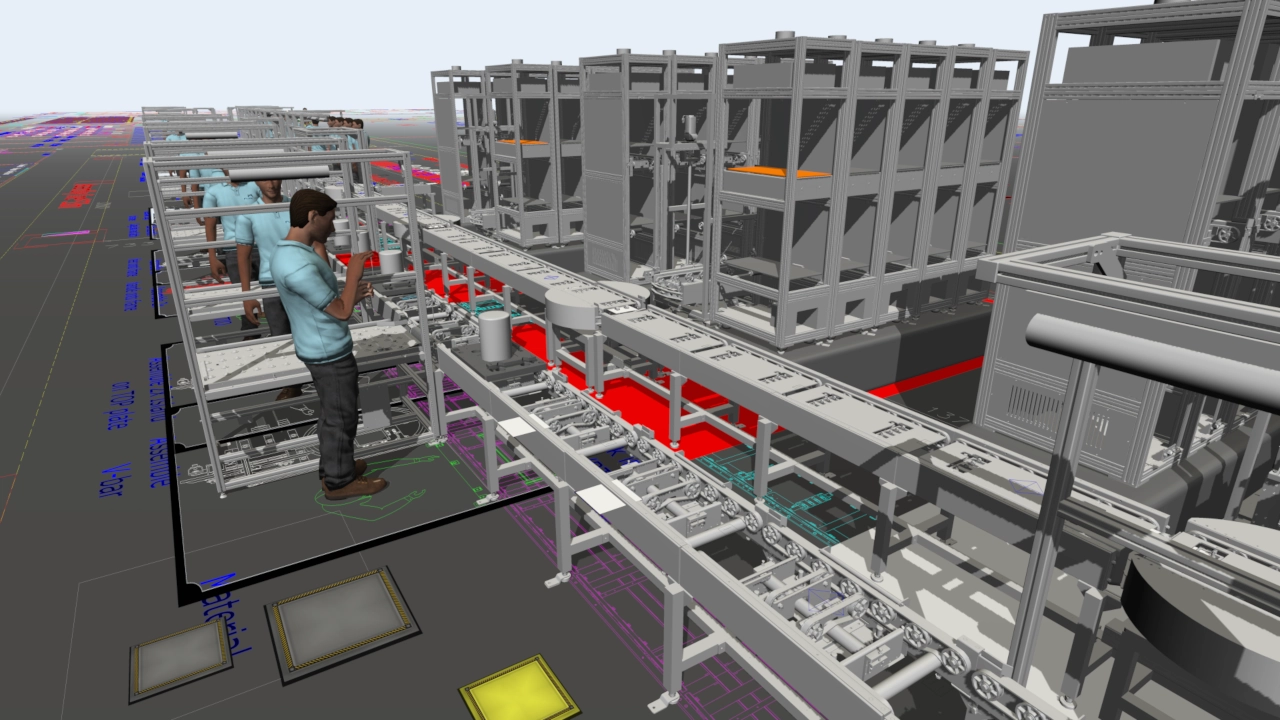
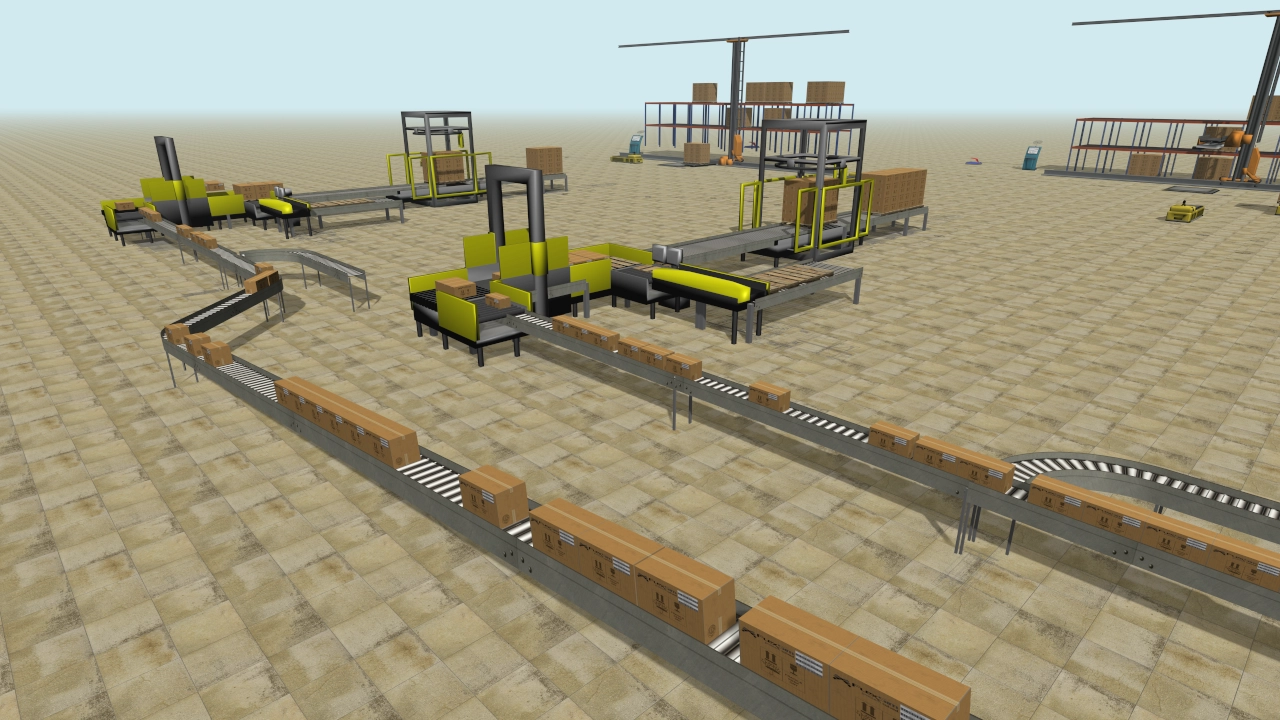
Autodesk FlexSim is the best choice for modeling large, complex material handling, manufacturing, and automation systems. The latest updates deliver a high level of detail and realism in material handling simulation models. No simulation software offers a better value for material handling simulation.
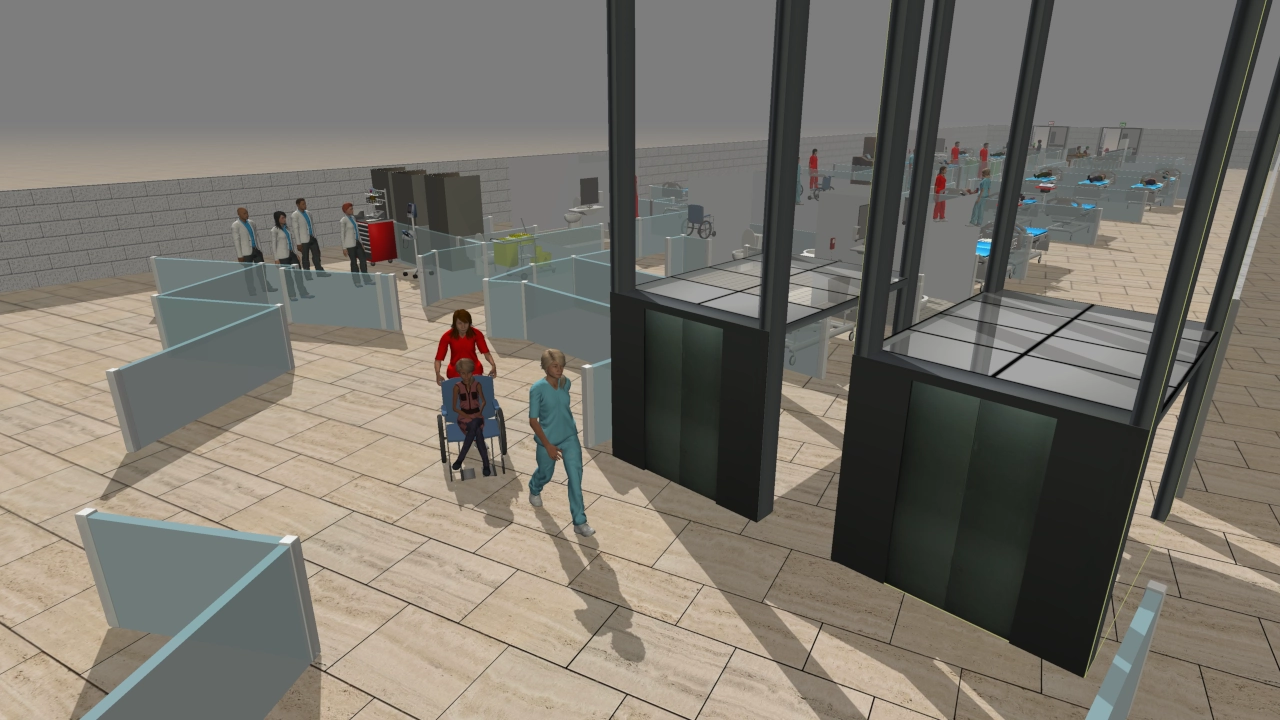
Healthcare
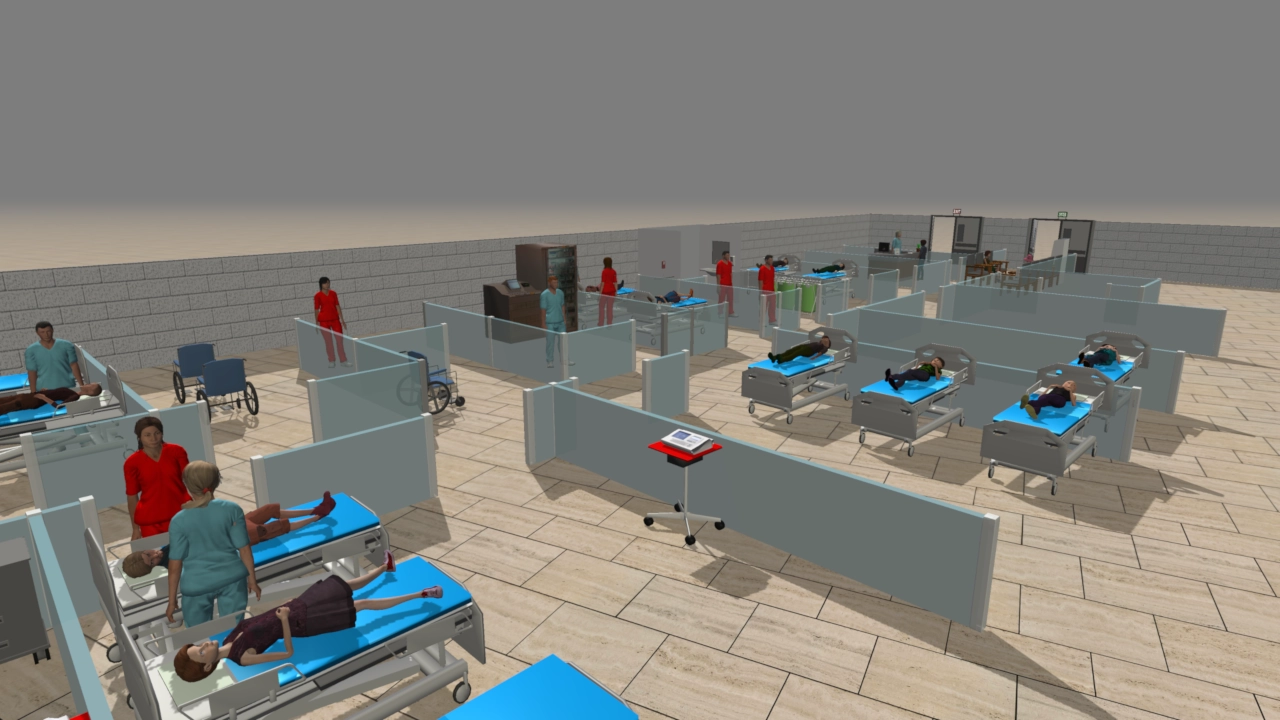
Autodesk FlexSim Healthcare is a comprehensive and intuitive healthcare simulation environment built on Autodesk FlexSim, designed specifically to address the unique challenges of complex healthcare facilities. It enables hospitals and healthcare organizations to model, analyze, and improve patient flow and healthcare processes before implementing changes in real-world operations.
Warehouse & Logistics
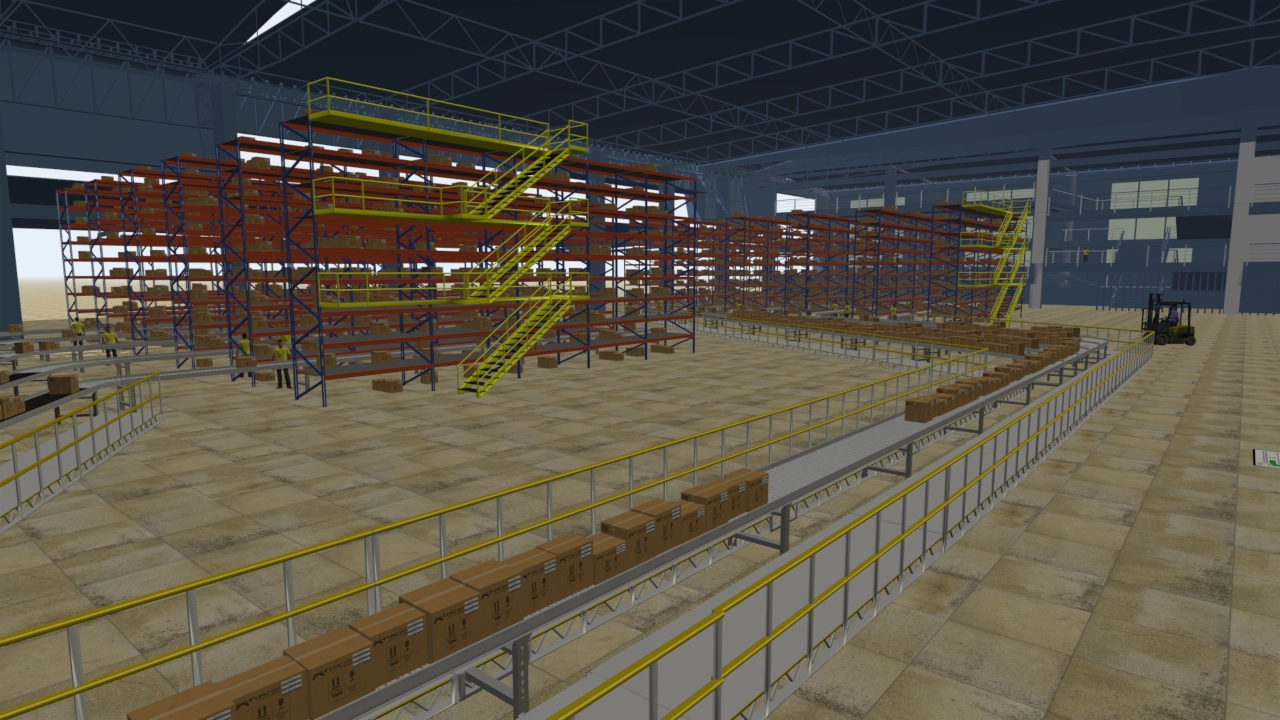
Autodesk FlexSim enables organizations to analyze and experiment with warehousing processes in a virtual environment, reducing the time and costs associated with physical testing. Storage systems, loading docks, conveyors, AGVs, and personnel can all be quickly modeled and configured within the simulation, enabling organizations to maximize resource utilization and improve operational efficiency.
Factory
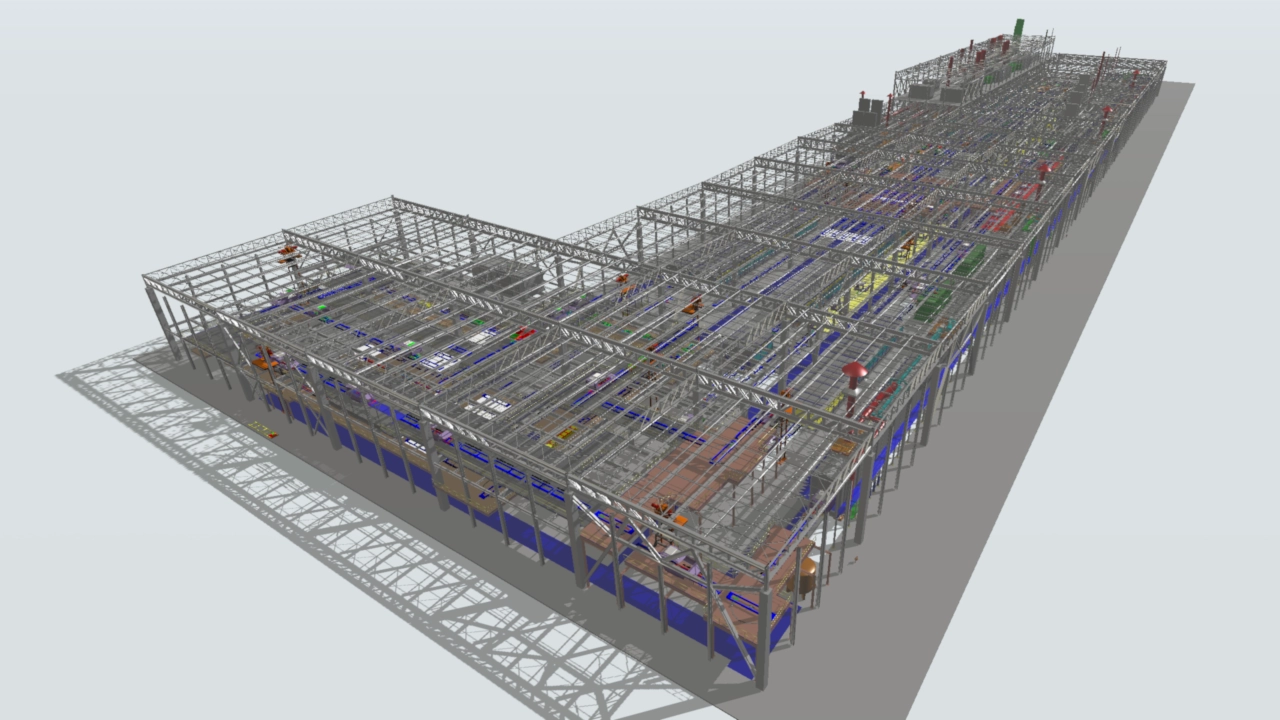
Simulation technology allows manufacturers to analyze and experiment with their processes in a virtual environment, reducing the time and costs associated with physical testing. With Autodesk FlexSim, materials, equipment, and personnel can all be modeled within the simulation, providing the insights needed to maintain or improve production while minimizing costs.
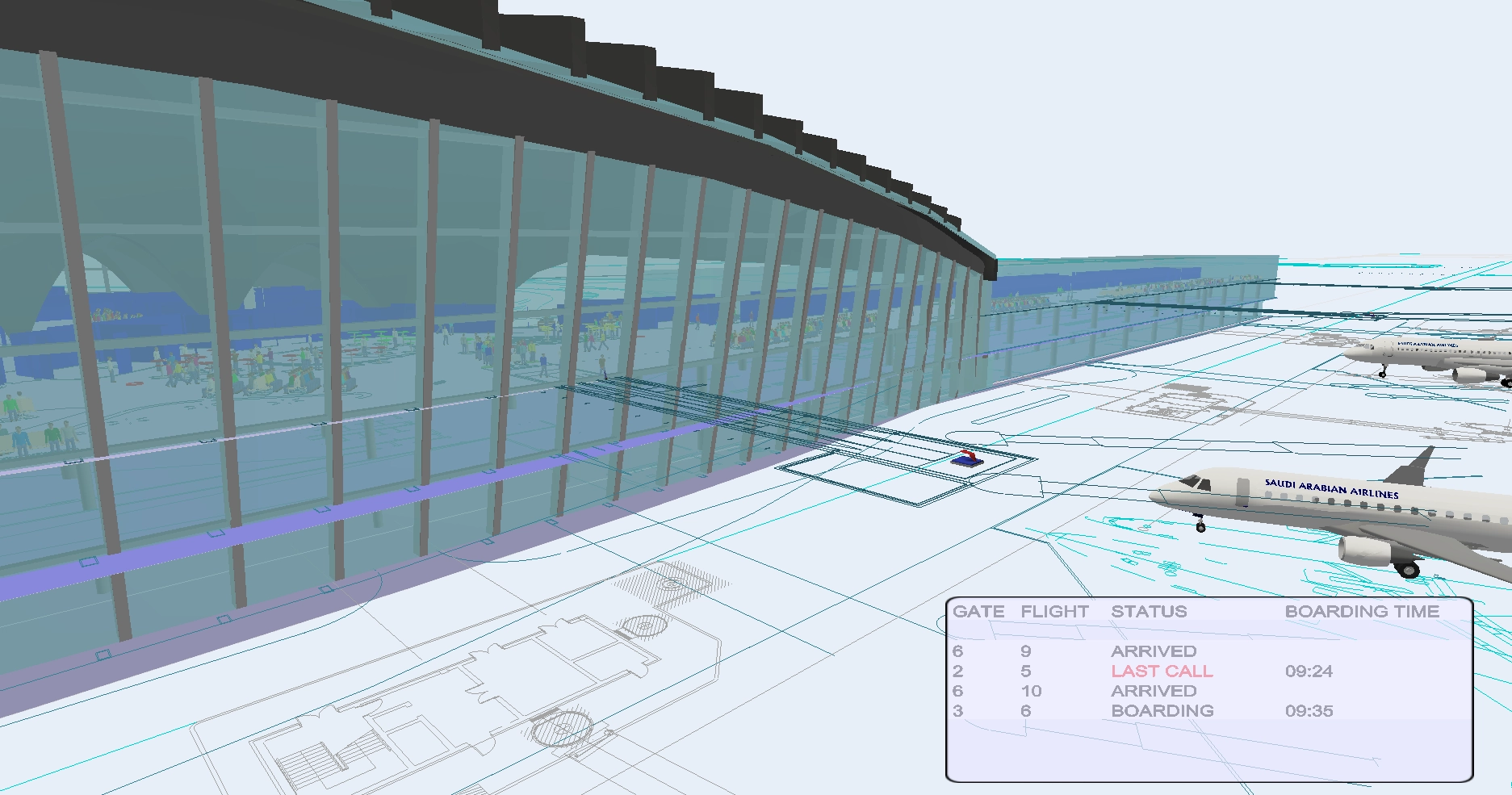
Airport
For airport operations, Autodesk FlexSim provides a virtual environment where organizations can analyze and experiment with their processes, reducing the time and costs associated with physical testing. Security checkpoints, gates, and baggage handling operations can all be modeled and evaluated within the simulation, enabling airports to maximize resource utilization while minimizing costs without compromising safety.
Products

Autodesk FlexSim General Purpose is a 3D discrete-event simulation software designed to model, analyze, and improve existing and proposed systems. It provides a flexible simulation environment that enables organizations to model, analyze, and optimize processes across a wide range of industries before implementing changes in real-world operations.

Autodesk FlexSim enables manufacturers to analyze and experiment with their processes in a virtual environment, reducing the time and costs associated with physical testing. Inventory, assembly, transportation, and production can all be modeled and evaluated within the simulation, enabling organizations to make informed decisions to maintain or improve efficiency while minimizing costs.